
How to Set Up a Home Office in a Small Apartment
Part of: Tools and everyday fixes
- Difficulty
- Easy
- Time
- A weekend
- Tools
- Tape measure, desk or table, chair, task lamp, power strip, cable clips, shelf or wall file, headset, a level
- Call a pro if
- You need new outlets, a dedicated circuit or a wall mounted desk on a wall you cannot drill, since those need an electrician or the landlord's approval.
In this guide
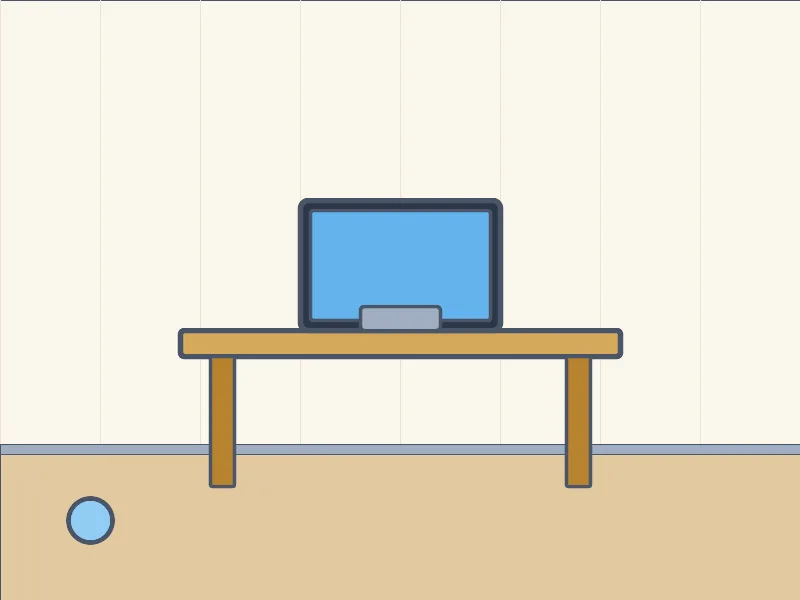
A small apartment can hold a real workspace. It does not need a spare room, only a corner that is used for one thing, a desk that fits the measurements and lighting that does not fight the screen. The rest is cable management and a chair that does not wreck your back. How to set up a home office in a small apartment starts with the corner, choosing the spot with the least foot traffic and noise.
1. Choose the corner
1. Pick the spot with the least foot traffic and the least noise.
2. Avoid facing a wall if you take a lot of video calls, since a blank wall behind you looks better than a busy room.
3. Keep the desk out of direct sun on the screen.
4. Check the outlets before you decide, since an extension cord across a doorway is a trip hazard.
5. Measure the space, including the chair pull out and the door swing.
2. Pick a desk that fits
1. Measure the width, depth and height available.
2. Choose a depth of at least 24 inches for a monitor and keyboard.
3. Use a wall mounted or folding desk where floor space is tight.
4. A narrow console table with a shelf can work as a standing desk.
5. Check the desk height suits your chair and your elbows, ideally 28 to 30 inches.
3. Set the chair and the screen
1. Set the screen so the top of it is at or just below eye level.
2. Keep the screen about an arm's length away.
3. Sit with feet flat and knees at about a right angle.
4. Keep elbows close to the body and wrists straight.
5. Use a footrest or a cushion if the chair does not adjust enough.
4. Fix the lighting
1. Put a task lamp to the side of your dominant hand, so it does not cast a shadow on your work.
2. Avoid a bright window directly behind the screen.
3. Use a warm bulb in the evening and a cooler one for daytime work.
4. Add a small lamp behind the screen to reduce contrast at night.
5. Keep a spare bulb, since a dark corner is unusable.
5. Sort the power and the cables
1. Use one power strip with surge protection for the computer and the screen.
2. Mount the strip under the desk so cables do not hang.
3. Clip cables along the desk leg and the wall.
4. Label the plugs, since you will unplug the right one eventually.
5. Keep the router out of a metal cabinet, which kills the signal.
6. Create storage that is not on the desk
1. Use a shelf above the desk for files and books.
2. Use a small drawer unit on wheels that fits under the desk.
3. Keep a wall file or a folder for paperwork, and go digital where you can.
4. Store the printer on a separate small stand, not on the desk.
5. Keep one box for cables, chargers and adapters.
7. Control the noise
1. Use a headset with a microphone for calls.
2. Put a rug under the chair to soften the room.
3. Add a curtain and a bookshelf, which both absorb sound.
4. Seal the door gap if you share the apartment.
5. Agree quiet hours with the people you live with.
8. Make it easy to put away
1. Choose a desk with a cover or a folding top if the room is shared.
2. Keep a basket for the things that pile up, and clear it weekly.
3. Put the chair in the same place every day so the space stays clear.
4. Use a screen or a curtain to hide the desk when work is done.
5. End the day by clearing the surface, which makes the room feel like home again.
9. Check the setup after a week
1. Notice where you ache, since the body reports the setup first.
2. Raise or lower the screen and the chair and try again.
3. Add light where you squint.
4. Move the desk if you keep turning to see the room.
5. Fix the one thing that annoys you daily, since it is the one that matters.
Our guide on reducing noise in an apartment covers the sound side in more detail.
Common mistakes
- Buying a desk before measuring the space and the chair.
- Putting the desk in the busiest walkway in the apartment.
- A screen that is too low, which leads to neck pain.
- Cables hanging loose across the floor.
- Working on the sofa all day and calling it a desk.
Related guides
- How to Move In With a Roommate
- How to Split Rent and Bills With Roommates
- How to Negotiate a Rent Increase
FAQ
How do I make a workspace in a studio apartment?
Use one wall or a corner, a shallow desk, and a screen or curtain that separates work from living. Keep the desk clear at the end of the day.
Do I need a second monitor?
Only if the work needs it. A laptop riser and a separate keyboard often help more in a small space.
What is the right desk height?
Around 28 to 30 inches for most people, matched to the chair so your elbows sit near a right angle.
How do I stop the desk from taking over the room?
Choose a narrow or folding desk, keep storage vertical, and clear the surface every evening.
More from this topic
- How to Set Up a Laundry Space in a Small Apartment: Learn how to set up a laundry space in a small apartment: check the hookups and lease, stack or combine units...
- How to Set Up Internet in a New Apartment: Learn how to set up internet in a new apartment: check what the building supports, compare plans, book the...
- How to Reduce Noise in an Apartment: Learn how to reduce noise in an apartment: find where the sound gets in, seal the door and windows, add soft...
- How to Set Up a Laundry Area in a New Home: Learn how to set up a laundry area: check the water, drain and vent, level the machines, fit hoses and the...
- How to Set Up Utilities When You Move Into a New Home: Set up utilities when you move by contacting providers two weeks ahead, documenting meter readings on move-in...
 First HomeHow to Set Up a Laundry Space in a Small ApartmentLearn how to set up a laundry space in a small apartment: check the hookups and lease, stack or combine units and plan drying and storage.
 First HomeHow to Set Up Internet in a New ApartmentLearn how to set up internet in a new apartment: check what the building supports, compare plans, book the install and place the router well.
 First HomeHow to Reduce Noise in an ApartmentLearn how to reduce noise in an apartment: find where the sound gets in, seal the door and windows, add soft surfaces and quiet the noisy machines.
 First HomeHow to Set Up a Laundry Area in a New HomeLearn how to set up a laundry area: check the water, drain and vent, level the machines, fit hoses and the vent, organize the space and prevent leaks.
 First HomeHow to Set Up Utilities When You Move Into a New HomeSet up utilities when you move by contacting providers two weeks ahead, documenting meter readings on move-in day, and verifying every service works.