
How to Install a Motion Sensor Light
Part of: Electrical safety
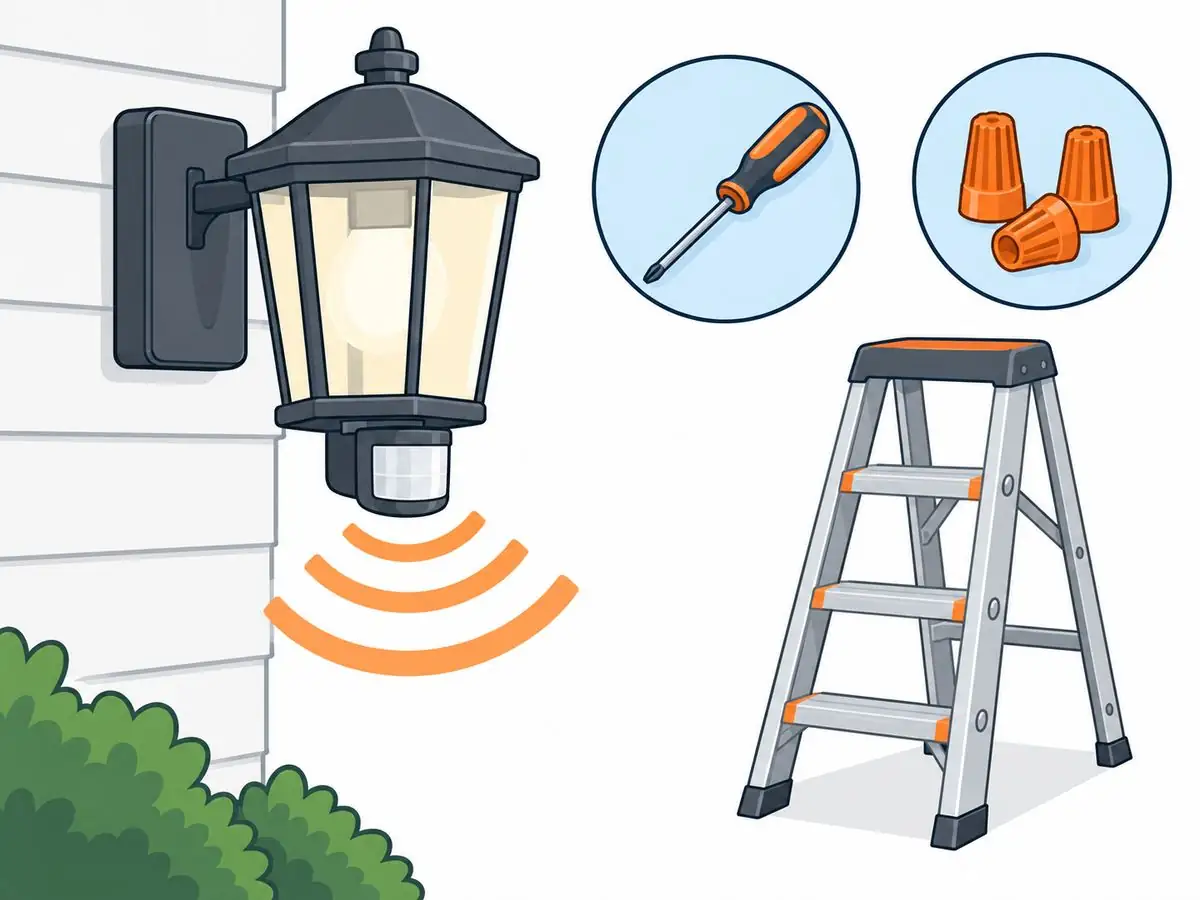
- Difficulty
- Medium
- Time
- 45 to 90 minutes
- Tools
- Non-contact voltage tester, ladder, screwdrivers, wire strippers, wire nuts, weatherproof sealant, new motion sensor light, phone for photos
- Call a pro if
- you have no existing wired box, the wiring is aluminum or damaged or you cannot reach the fixture safely
In this guide
- Power off first
- Ladder safety
A motion sensor light switches on when someone walks near, which helps with safety and energy use. This guide shows how to install a motion sensor light to replace an existing wired outdoor fixture.
This guide is part of our wider guide to lights, ceiling fans and fixtures.
Choose a light
Look for an outdoor-rated fixture. Check the sensing range and angle, the brightness, and whether the settings (time, sensitivity and range) are adjustable. Make sure the fixture type fits your box. A fixture that is wet-rated is best for open outdoor spots.
Step by step
1. Turn off the breaker for the fixture. Flip the wall switch off too.
2. Test for power with a non-contact tester.
3. Remove the old fixture. Unscrew the cover, then the mounting screws. Lower the fixture gently without pulling on the wires.
4. Take a photo of how the wires are connected.
5. Disconnect the wires. Remove the wire nuts.
6. Attach the new mounting bracket to the box with the screws provided.
7. Connect the wires. Match black to black, white to white and bare or green to ground. Use wire nuts, twist clockwise, tug gently to check.
8. Fold the wires into the box. Do not pinch them.
9. Attach the fixture to the bracket. Use the gasket supplied so the box stays dry.
10. Seal the top and sides with weatherproof sealant, leaving the bottom open so water can drain.
11. Fit the bulbs and aim the sensor head.
12. Turn on the breaker and the wall switch.
13. Test. Many lights have a test mode. Walk across the sensing area, check the range and adjust the sensitivity.
Aiming tips
- Aim the sensor across the path you want covered, not directly toward it. Motion across the field of view is detected better than motion straight at it.
- Avoid pointing the sensor at roads, trees or heat sources, which cause false triggers.
- Start with medium sensitivity and adjust.
Switch note
If the light is on a wall switch, leave the switch on for the sensor to work. Some sensor fixtures turn off and on again if you flick the switch in quick order to reset. See the instructions that come with your light.
Settings to adjust after install
Most motion lights have three dials: range, time and light level. Set the range to cover the area you need and no more, set the time to one to five minutes so the light does not stay on all night, and set the light level so the sensor works only after dark. Test after sunset, because many lights ignore motion in daylight. Check the settings again after a week and trim nearby branches if they trigger the light in the wind.
Choosing a sensor type
Some lights use passive infrared sensors, which detect heat from moving people and animals. Others use dual technology. Dual sensors reduce false triggers. If you have pets, look for a model with pet-friendly settings, or aim the sensor higher. Mount the light at the height the instructions give, often 6 to 10 feet, and angle it to cover the area you want to light.
Test the aim again after dark, when the sensor and the light work as you will use them.
Related guides
- How to Install a Smart Switch: Neutral Wire, Wiring and Setup
- Outdoor Light Timer: How to Install One Safely
- Replace Photocell Sensor on an Outdoor Light
- Outdoor Light Fixture Filling With Water: Causes and How to Fix It
- How to Install Solar Path Lights That Work All Night
FAQ
Can I install one without existing wiring?
Only with a new wired box, or with a battery or solar model. A wired box is a job for an electrician.
Why does it turn on by itself?
Trees, animals, wind or heat from a car can trigger it. Adjust the angle or sensitivity.
Do I need a GFCI?
Outdoor circuits should be protected. See GFCI vs AFCI.
Are LED bulbs OK?
Yes, if the fixture allows them. Check the label.
More from this topic
- Replace Photocell Sensor on an Outdoor Light: Outdoor light on all day or never on? Test and replace photocell sensor parts safely for reliable dusk to...
- Occupancy Sensor Switch: How to Install One Safely: Want lights that turn on when you enter? Install an occupancy sensor switch safely: check the wiring, neutral...
- How to Install a Ceiling Fan Where a Light Fixture Is: Learn how to install a ceiling fan: turn off the power, fit a fan rated box, assemble and hang the fan, wire...
- How to Install a Smart Switch: Learn how to install a smart switch. Check for a neutral wire, turn off the power, wire the switch and...
- How to Install a WiFi Video Doorbell Step by Step: Learn how to install a WiFi video doorbell, wired or battery powered. Check your wifi, power and chime, mount...
 Electrical BasicsReplace Photocell Sensor on an Outdoor LightOutdoor light on all day or never on? Test and replace photocell sensor parts safely for reliable dusk to dawn lighting. Steps and safety tips included.Electrical BasicsOccupancy Sensor Switch: How to Install One SafelyWant lights that turn on when you enter? Install an occupancy sensor switch safely: check the wiring, neutral wire need and set the timer.
 Electrical BasicsHow to Install a Ceiling Fan Where a Light Fixture IsLearn how to install a ceiling fan: turn off the power, fit a fan rated box, assemble and hang the fan, wire it safely and balance the blades.
 Electrical BasicsHow to Install a Smart SwitchLearn how to install a smart switch. Check for a neutral wire, turn off the power, wire the switch and connect it to your app. Step by step with safety tips.
 Electrical BasicsHow to Install a WiFi Video Doorbell Step by StepLearn how to install a WiFi video doorbell, wired or battery powered. Check your wifi, power and chime, mount it level and test it. Easy steps for beginners.