
How to Clean Window Screens Without Bending or Tearing Them
Part of: Tools and everyday fixes
- Difficulty
- Easy
- Time
- 30 to 60 minutes
- Tools
- Soft brush, vacuum with brush attachment, bucket, mild dish soap, sponge, hose, towel, flat surface or old sheet, step stool
- Call a pro if
- The screen is torn, the frame is bent, you cannot remove the screens safely from upper floors, or the mesh is a special fiberglass pet resistant type you are unsure how to clean.
In this guide
- Wear protection
Screens catch dust, pollen, and insects. Over time they get gray and block air and light. A clean screen lets the breeze in and keeps the window cleaner. Here is how to clean window screens without damaging them.
Remove the screens
1. Label each screen with the window it belongs to using a piece of tape on the frame.
2. Release the tabs or springs. Many screens lift out from the bottom or slide sideways. Check the type first.
3. Remove them carefully. Do this from the inside for ground floor windows. For upper floors, remove them from inside only if you can do so safely.
4. Lay them flat on an old sheet or towel.
Dry clean first
Use a vacuum with a brush attachment to remove loose dust and cobwebs. A soft brush also works. Go gently along the mesh. Do not press hard.
Wash the screens
1. Mix soapy water. A few drops of dish soap in warm water is plenty.
2. Wipe the mesh. Use a soft sponge or brush. Work in small circles on both sides.
3. Clean the frame. Wipe with a damp cloth.
4. Rinse. Use a gentle spray from a hose or a damp cloth with clean water. Avoid a pressure washer, which can stretch or tear the mesh.
5. Dry. Stand them in the sun or wipe with a towel. Make sure they are dry before you put them back.
Stubborn dirt
Mix a little white vinegar in water for pollen and film. Use a baking soda paste on sticky spots. Test a small corner first. Avoid bleach, which can damage the mesh and frame.
Check for damage
Look for holes, loose spline, and bent corners. Fix small holes with a patch kit. See how to repair a window screen and how to fix a torn window screen. For a patio door, see patio door screen repair.
Reinstall
Match each screen to its window, set the bottom into the track, push the top in, and check that it sits flat. Close the window and check for gaps where bugs could enter.
Keep screens clean
- Dust them every month or two with a soft brush.
- Wash them in spring and fall.
- Store them flat in winter if you remove them.
- Replace worn or sun brittle screens.
Clean the glass and tracks
When screens are out, clean the glass and tracks. See how to clean windows without streaks and how to clean window tracks.
Allergy season
Screens trap pollen and dust. Clean them before spring. If your allergies are bad, wash screens more often and vacuum the sills.
Related guides
- How to Clean a Trash Can and Get Rid of the Smell for Good
- How to Remove Pet Odor From Carpet: Blot, Treat, and Neutralize
- How to Use a Hammer Without Bending Nails
FAQ
Can I clean screens while they are in the window?
You can brush or vacuum them gently, but washing is easier when they are out.
Is a pressure washer okay?
No. It can tear the mesh.
How do I clean pet damaged screens?
Repair or replace them. Washing will not fix holes.
How long do screens last?
Many last a decade or more with care, but sun can make them brittle.
More from this topic
- How to Clean Windows Without Streaks Using Simple Supplies: Learn how to clean windows without streaks: pick the right day, wash with soapy water, squeegee or wipe dry,...
- How to Clean Baseboards Fast Without Bending Over for Hours: Learn how to clean baseboards fast: dust first, wipe with a mild cleaner, handle scuffs, protect painted trim...
- How to Clean Curtains Without Ruining Them: Learn how to clean curtains: read the fabric care label, machine wash or hand wash the right way, dry them...
- How to Clean a Screen Door: Learn how to clean a screen door: wash the mesh without damage, clean the frame and tracks, and keep airflow...
- How to Clean a Laptop Keyboard and Screen Safely: Learn how to clean a laptop keyboard and screen: power it off, remove crumbs, wipe keys and the display with...
 CleaningHow to Clean Windows Without Streaks Using Simple SuppliesLearn how to clean windows without streaks: pick the right day, wash with soapy water, squeegee or wipe dry, and handle hard water spots and tracks.
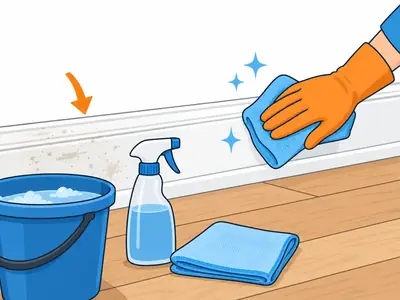 Walls and PaintHow to Clean Baseboards Fast Without Bending Over for HoursLearn how to clean baseboards fast: dust first, wipe with a mild cleaner, handle scuffs, protect painted trim and keep dust away.
 Doors and WindowsHow to Clean Curtains Without Ruining ThemLearn how to clean curtains: read the fabric care label, machine wash or hand wash the right way, dry them without shrinkage and skip ironing stress.
 Tools and BasicsHow to Clean a Screen DoorLearn how to clean a screen door: wash the mesh without damage, clean the frame and tracks, and keep airflow dust-free.
 Electrical BasicsHow to Clean a Laptop Keyboard and Screen SafelyLearn how to clean a laptop keyboard and screen: power it off, remove crumbs, wipe keys and the display with the right cloth and avoid liquid damage.