
How to Protect Electronics From Power Surges
Part of: Electrical safety
- Difficulty
- Easy
- Time
- 20 to 40 minutes
- Tools
- Surge protector, outlet tester, labels, pen and paper
- Call a pro if
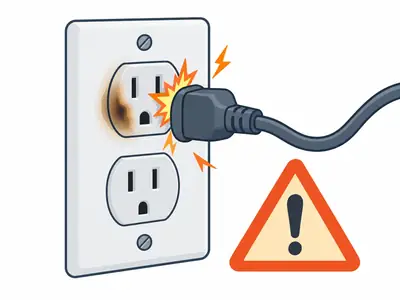
- You see flickering lights, scorch marks, buzzing outlets or frequent surges. Call a licensed electrician about whole home protection.
In this guide
- Power off first
A surge is a short spike in electricity that can damage a TV, computer or other device. A few simple steps reduce the risk. How to protect electronics from power surges starts with where surges come from: a storm, a utility switch, or a big appliance in your own home.
Before you start
A surge can come from a storm, a utility switch or a big appliance in your own home switching on. Most are tiny and harmless. The bigger ones can ruin a circuit board in a moment, which is why the gear you care about most should be protected first.
1. List what to protect
1. Make a list of TVs, computers, game consoles and routers.
2. Note expensive and hard to replace items.
3. Check which are on the same outlet.
4. Group them by room.
2. Choose a real surge protector
1. Look for a safety listing mark.
2. Check the joule rating and the clamping voltage.
3. Choose one with an indicator light.
4. Do not use a plain power strip, which gives no protection.
3. Check the load
1. Add up the power of what you plug in.
2. Do not exceed the rating on the label.
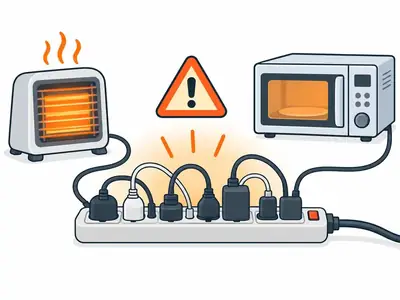
3. Keep heaters and large appliances off it.
4. Use one protector per area.
4. Plug it in the right way
1. Plug the surge protector into a grounded wall outlet.
2. Do not daisy chain strips.
3. Do not use an extension cord.
4. Check that the outlet is tight.
5. Protect cable and phone lines
1. Run the cable or phone line through the protector if it has jacks.
2. Do this for routers and modems.
3. Keep the cords tidy.
4. Label each one.
6. Check indicator lights
1. Look at the protection light.
2. If it is off, replace the protector.
3. Check once a month.
4. Note the install date.
7. Unplug in storms
1. Unplug valuable devices before a storm.
2. Do not do it during close lightning.
3. Unplug cables too.
4. Plug back in after the storm.
8. Consider whole home protection
1. Ask an electrician about a surge protective device at the panel.
2. Ask about grounding.
3. Check your insurance.
4. Keep a record.
Quick tips
- Replace surge protectors every few years, since protection wears out.
- Keep protectors off carpets and out of damp areas.
- Use a UPS for a desktop computer if you lose data during outages.
- Label the plugs so you can unplug the right ones fast.
When to stop and call a pro
Call a licensed electrician if lights flicker, outlets buzz or feel warm, breakers trip often or you see scorch marks. Those can be signs of wiring problems, not just surges. A whole home surge protective device is installed at the electrical panel by a professional. Never open a surge protector or a panel yourself. Replace any protector that has been through a major surge, since it may no longer protect even if the light is on. Do not rely on a surge protector to stop damage from a direct lightning strike. Keep the receipts and manuals for expensive electronics, and photograph the model labels. If a surge damages a device, check your warranty and your homeowners or renters insurance for coverage. Do not keep trying to power on a device that smells of burning.
Related guides
- Power strip overload: how to spot it
- Extension cord safety for homeowners
- How to set up a smart plug
Common mistakes
- Plugging a surge protector into another strip.
- Using a plain power strip.
- Ignoring the indicator light.
- Overloading it.
- Keeping an old protector for ten years.
FAQ
Is a power strip a surge protector?
No. Check the label.
How long does a surge protector last?
A few years, and it wears out after big surges.
Should I unplug in a storm?
Yes, if you can do so safely before the storm is close.
What is a joule rating?
It shows how much energy the protector can absorb.
More from this topic
- Power Strip Overload: How to Spot It: Power strip overload can melt plugs and start fires. Learn the warning signs, how to add up watts and which...
- How to Use a Non-Contact Voltage Tester Safely: Learn how to use a non-contact voltage tester: check it on a live source first, test wires and outlets the...
- Outlet Feels Warm? What It Means and What to Do: If an outlet feels warm, it can mean overload, loose wiring or a failing device. Learn which warmth is...
- Outlet Sparks When Plugging In: Outlet sparks when plugging in? A tiny flash can be normal, but loud pops, scorch marks or heat are not....
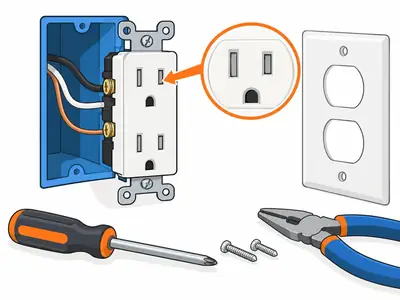
- Tamper-Resistant Outlets: Tamper-resistant outlets have built-in shutters that block objects. Learn how they work, where they are...
 SafetyPower Strip Overload: How to Spot ItPower strip overload can melt plugs and start fires. Learn the warning signs, how to add up watts and which devices should never share a strip.Electrical BasicsHow to Use a Non-Contact Voltage Tester SafelyLearn how to use a non-contact voltage tester: check it on a live source first, test wires and outlets the right way, and know its limits.Electrical BasicsOutlet Feels Warm? What It Means and What to DoIf an outlet feels warm, it can mean overload, loose wiring or a failing device. Learn which warmth is normal, which is dangerous and the safe checks.
 Electrical BasicsOutlet Sparks When Plugging InOutlet sparks when plugging in? A tiny flash can be normal, but loud pops, scorch marks or heat are not. Learn the causes and when to call an electrician.
 Electrical BasicsTamper-Resistant OutletsTamper-resistant outlets have built-in shutters that block objects. Learn how they work, where they are required and how to tell if your outlets have them.