
Loose Plug in an Outlet: How to Fix It
Part of: Electrical safety
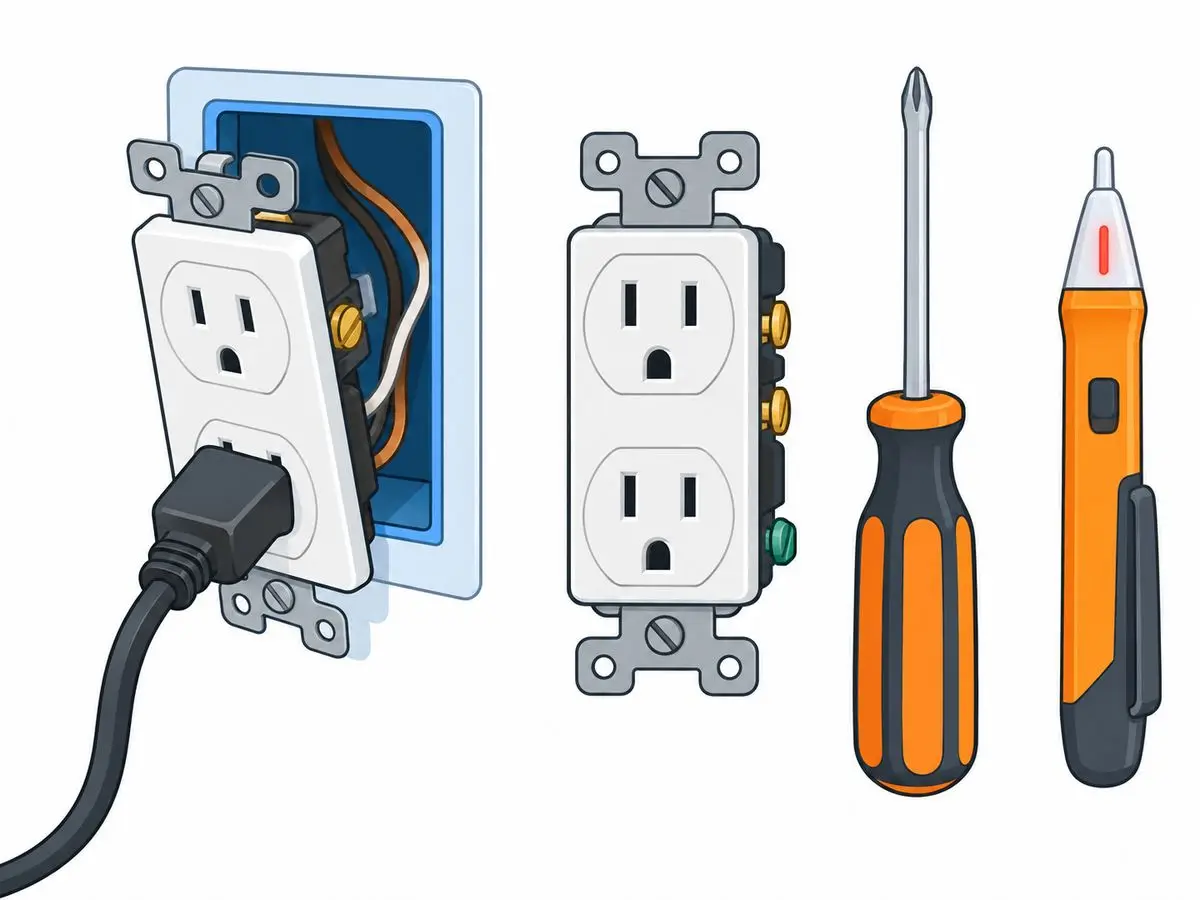
- Difficulty
- Medium
- Time
- 20 to 40 minutes
- Tools
- Non-contact voltage tester, screwdrivers, needle-nose pliers, wire strippers, new outlet, phone for photos
- Call a pro if
- the outlet is warm, discolored or smells like burning, the wires are aluminum, the box is cracked or the breaker trips
In this guide
- Power off first
A loose plug in an outlet is more than a nuisance. A plug that slips can arc, heat up and damage the cord. The usual fix is to replace the outlet, which takes about 20 minutes once the power is off.
This guide is part of our wider guide to electrical problems and safety.
Why plugs get loose
The metal contacts inside an outlet lose tension after years of plugging and unplugging, or from heat. A worn outlet cannot grip the prongs. Heavy plugs, such as chargers with a large brick, also pull on outlets.
Warning signs
Stop using the outlet and call an electrician if you see any of these signs:
- Heat on the cover plate or the plug.
- Scorch marks or a burning smell.
- Sparking when you plug something in.
- A buzzing sound.
Step by step: replace the outlet
1. Turn off the breaker for the outlet.
2. Test the outlet with a non-contact tester. Test both sockets.
3. Remove the cover plate and the two screws holding the outlet.
4. Pull it out and test the wires again.
5. Take a photo of how the wires connect.
6. Unscrew the terminals. Black (hot) wires go to the brass screws, white (neutral) to silver screws and bare or green (ground) to the green screw.
7. Inspect the wires. Copper that is darkened or burned should be trimmed and stripped fresh. If the wire is short or damaged, stop and call an electrician.
8. Connect the new outlet. Bend each wire into a hook clockwise around its screw and tighten firmly. Use a tamper-resistant outlet where required.
9. Push the wires back into the box carefully.
10. Mount the outlet, attach the plate and turn on the breaker.
11. Test with a plug tester or a lamp.
If you want the full walkthrough, see How to replace an outlet.
Other things to check
- Use plugs that fit snugly. A bent prong can also cause a loose fit.
- Do not bend prongs to make them grip.
- Use a different outlet for heavy loads.
How to tell a worn outlet from a worn plug
Try several plugs in the same socket. If all of them fall out, the outlet is worn. If only one plug falls out, the plug may have bent prongs or a worn cord end. Replace the plug or the cord instead.
Also check how the outlet sits in the wall. If the whole outlet wobbles when you push on it, its mounting screws may be loose, and tightening them with the power off can remove the wobble. A wobble in the device and a loose grip in the sockets are two different problems, so check both.
When to replace more than the outlet
If the wire insulation is brittle, if the box is cracked or if more than one outlet nearby is loose, ask an electrician to look at the circuit. Old wiring can be worn in more than one place.
Choosing a better outlet
Pick a tamper-resistant outlet, which is required in many new installations, and look for a safety listing mark. A heavier-duty outlet grips plugs more firmly. If you use a USB outlet, choose a reputable one. Do not push a plug into a worn outlet over and over to make it fit, since this wears the contacts more.
Related guides
- Outlet Sparks When Plugging In: Normal Spark or Warning Sign?
- Outlet Not Working in One Room: How to Fix It
- Replace Outlet Cover Plate (and Switch Plates)
- How to Test an Outlet With a Multimeter: Safe Steps for Beginners
FAQ
Can I tighten the outlet instead?
The contacts inside cannot be tightened safely. Replace the outlet.
Is a loose outlet a fire risk?
It can be, since a poor connection creates heat.
Why is only one socket loose?
Each socket wears separately. Replace the whole outlet.
Do I need a GFCI outlet?
In kitchens, bathrooms, garages and outdoors, yes. See GFCI outlet will not reset.
More from this topic
- How to Set Up a Smart Plug Safely: Learn how to set up a smart plug: check the load, plug it in, connect it to WiFi in the app, name it and set...
- Outlet Sparks When Plugging In: Outlet sparks when plugging in? A tiny flash can be normal, but loud pops, scorch marks or heat are not....
- How to Install a USB Outlet to Replace a Standard Outlet: Learn how to install a USB outlet in place of a standard outlet. Check the box and wiring, turn off power,...
- How to Rewire a Lamp in Under an Hour: Learn how to rewire a lamp: unplug it, swap the cord and socket with a few basic tools, and bring an old lamp...
- Lights Dim When Appliance Starts: What It Means: Lights dim when appliance starts? Learn what is normal, what points to an overloaded circuit or loose...
 Electrical BasicsHow to Set Up a Smart Plug SafelyLearn how to set up a smart plug: check the load, plug it in, connect it to WiFi in the app, name it and set schedules without overloading the outlet.
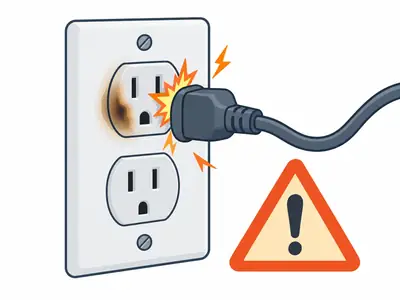 Electrical BasicsOutlet Sparks When Plugging InOutlet sparks when plugging in? A tiny flash can be normal, but loud pops, scorch marks or heat are not. Learn the causes and when to call an electrician.
 Electrical BasicsHow to Install a USB Outlet to Replace a Standard OutletLearn how to install a USB outlet in place of a standard outlet. Check the box and wiring, turn off power, connect the wires and test the charging ports.Electrical BasicsHow to Rewire a Lamp in Under an HourLearn how to rewire a lamp: unplug it, swap the cord and socket with a few basic tools, and bring an old lamp back to safe working order.
 Electrical BasicsLights Dim When Appliance Starts: What It MeansLights dim when appliance starts? Learn what is normal, what points to an overloaded circuit or loose connection and when to call an electrician.