
Replace Outlet Cover Plate (and Switch Plates)
Part of: Electrical safety
- Difficulty
- Easy
- Time
- 5 to 15 minutes per plate
- Tools
- Screwdriver, non-contact voltage tester, new plates, caulk or putty if needed
- Call a pro if
- the box is loose, the device is cracked or burned, or you see melted plastic
In this guide
- Power off first
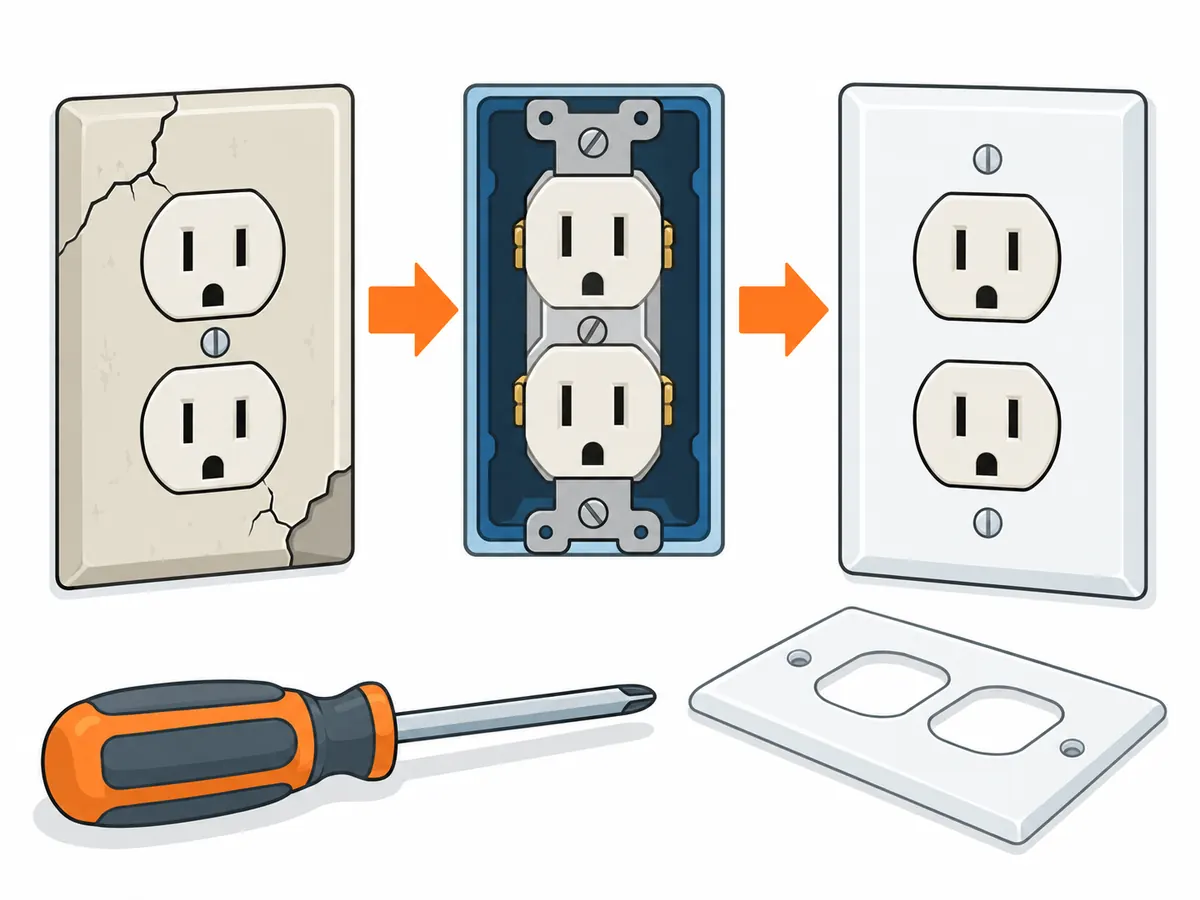
A cracked or yellowed plate is a quick fix, and you can replace outlet cover plate hardware with one screwdriver. A cover plate keeps fingers away from live parts and covers the gap between the box and the wall. A cracked or missing plate is a safety risk, and a dirty or yellowed one looks worn. Changing a cover plate is one of the easiest electrical updates. It takes only a screwdriver. This guide shows how to do it safely and how to pick the right style.
This guide is part of our wider guide to electrical problems and safety.
Turn off the power
The plate screw is close to live parts. Turn off the breaker for the circuit, and use a voltage tester near the outlet to confirm there is no power. If you do not know which breaker it is, turn off the main breaker. See How to find your electrical panel and label breakers.
Step by step
1. Turn off the breaker and test the outlet or switch.
2. Remove the center screw with a screwdriver. Hold the plate so it does not fall.
3. Pull the old plate off. If it is stuck with paint, cut the paint line with a utility knife.
4. Check the device for cracks, loose wires and burn marks. Do not touch the terminals.
5. Wipe the wall around the box.
6. Match the new plate to the opening. Count the number of gangs, and check the shape.
7. Place the new plate over the device.
8. Insert the screw and tighten it until the plate sits flat. Do not over-tighten, as plastic can crack.
9. Turn the power back on and test the outlet or switch.
Plate types
A standard plate fits a regular outlet or a toggle switch. A decorator plate fits a rocker switch or a GFCI outlet. A blank plate covers an empty box. A plate with a spring door is for outdoor outlets. See Outdoor outlet cover: how to install. Some plates are oversize and hide wall gaps. Choose the type that matches the device.
Signs that point to each cause
A plate that will not sit flat may have a box set back in the wall, or a device that is crooked. A plate that is hot or discolored points to a loose or overloaded device. A plate that rattles has a missing screw. A cracked plate can expose parts. A plate that looks dirty may only need cleaning. See Light switch hot or buzzing: what it means and Outlet plug loose: how to fix.
Fix gaps around the plate
If the wall hole is larger than the plate, use an oversize plate. You can also patch the wall with spackle. Turn the power off, remove the plate, fill the gap, let it dry, sand and paint. Put the plate back after the paint dries. Do not paint over a plate screw and the device.
Prevention
Clean plates with a dry cloth, or a barely damp one. Do not spray cleaner on the plate. Do not paint plates in place, as paint can seal the screws. Replace cracked plates right away. Use covers for empty boxes. Keep the screws snug.
Childproofing
Use plates with spring covers or outlet caps if there are toddlers. Tamper resistant outlets also help. See Tamper resistant outlets: what they are. Check that caps are large enough to prevent swallowing.
Style tips
Match the finish with other plates in the room. White, ivory and brushed finishes are common. For a clean look, choose screwless plates that snap on, but check that the base plate is secure. For kitchens and bathrooms, a wipeable finish is useful. Buy several of the same type so that the room looks even.
Replace a cracked device while you are there
If the outlet or switch itself is old, loose or discolored, replace it too. The cover plate hides a lot of wear. Turn off the power, test again, and follow the steps in How to replace an outlet. A fresh device and plate together make the wall look new and work better.
Cleaning old plates
If you want to keep a plate, wash it with a little dish soap in warm water, rinse and dry it fully. Do not clean a plate that is still on the wall with a wet cloth. Remove it first. Yellowed plastic may not come clean, and a new plate is a better choice.
Related guides
- How to Test an Outlet With a Multimeter: Safe Steps for Beginners
- How to Replace a Light Switch
- Power Strip Overload: How to Spot It
- Extension Cord Safety for Homeowners
FAQ
Do I need to turn off power to change a plate? It is safest to do so.
Can I paint the plate? Remove it first and paint it apart from the wall. Let it dry fully.
Why is my plate crooked? The device may be loose or the box may be tilted.
What size plate do I need? Match the number of gangs and the device shape.
More from this topic
- EV Charger Installation at Home: What It Involves: EV charger installation at home explained: Level 1 vs Level 2, panel capacity, permits, and what a licensed...
- Transfer Switch for a Generator: Safety and Setup: A transfer switch keeps generator power off the utility lines. Here is how it works, why backfeeding kills,...
- How to Strip Electrical Wire Without Nicking the Copper: Learn how to strip electrical wire: choose the right gauge slot, score the insulation cleanly, and avoid the...
- How to Test an Outlet With a Multimeter: Learn how to test an outlet with a multimeter, what readings to expect and which safer tools to use first....
- Outlet Feels Warm? What It Means and What to Do: If an outlet feels warm, it can mean overload, loose wiring or a failing device. Learn which warmth is...
 Electrical BasicsTransfer Switch for a Generator: Safety and SetupA transfer switch keeps generator power off the utility lines. Here is how it works, why backfeeding kills, and what a licensed install involves.Electrical BasicsHow to Strip Electrical Wire Without Nicking the CopperLearn how to strip electrical wire: choose the right gauge slot, score the insulation cleanly, and avoid the nicks that cause failures.
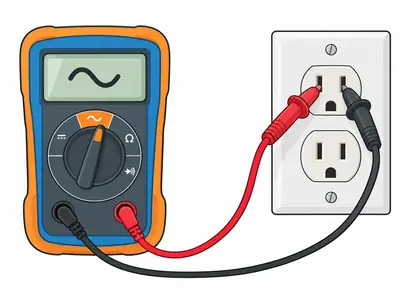 Electrical BasicsHow to Test an Outlet With a MultimeterLearn how to test an outlet with a multimeter, what readings to expect and which safer tools to use first. Safety rules and when to call an electrician.Electrical BasicsOutlet Feels Warm? What It Means and What to DoIf an outlet feels warm, it can mean overload, loose wiring or a failing device. Learn which warmth is normal, which is dangerous and the safe checks.