
How to Mount a TV on the Wall Safely
Part of: Floors, walls and doors
- Difficulty
- Medium
- Time
- 1 to 2 hours
- Tools
- Stud finder, drill, level, pencil, socket wrench, tape measure, helper, painter's tape
- Call a pro if
- The wall has no studs where you need it, is brick or concrete, hides wires or pipes, or the TV is heavy.
In this guide
- Power off first
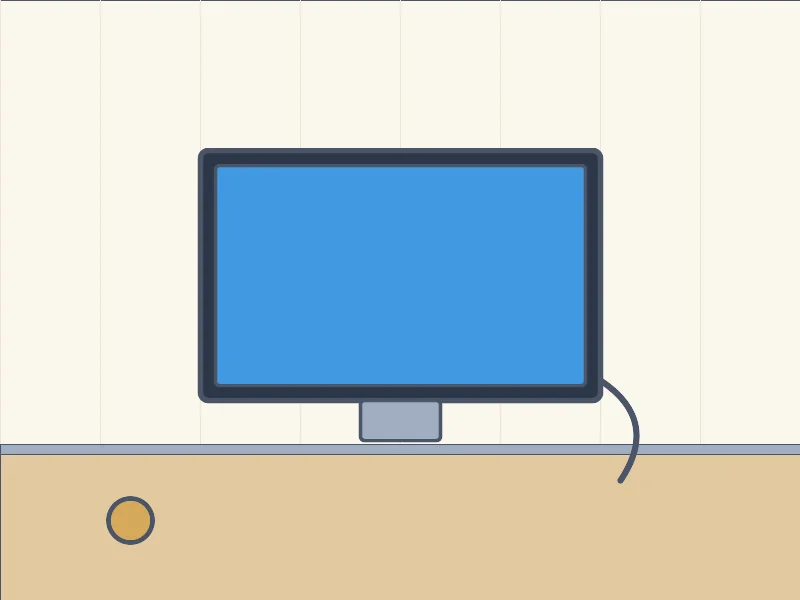
A wall mounted TV saves space and gives a clean look. A safe mount needs the right bracket and a solid fixing into wall studs. How to mount a tv on the wall depends on finding the framing, because the bracket has to be held by the studs and not by the drywall.
Before you start
A TV on a wall must be held by the framing behind the drywall, not by the drywall itself. That is why finding studs and choosing a bracket rated for your TV is the whole job. Take your time with the measuring, and have a helper for the lift.
1. Choose the spot
1. Pick a height with the center of the screen near eye level when seated.
2. Check the viewing distance.
3. Avoid windows that cause glare.
4. Check the room for outlets.
2. Pick the right mount
1. Check the TV's mounting hole pattern and weight.
2. Choose a mount rated above the TV's weight.
3. Pick fixed, tilting or full motion.
4. Check the mount matches the wall type.
3. Find the studs
1. Use a stud finder along the wall.
2. Mark the edges of each stud with pencil.
3. Confirm the center by checking both edges.
4. Check that the studs are at least 16 inches apart on center.
4. Check behind the wall
1. Look for outlets and switches nearby.
2. Use the stud finder's wire detection.
3. Avoid drilling directly above or below outlets.
4. Check for pipes on bathroom or kitchen walls.
5. Mark the holes
1. Hold the wall plate against the wall.
2. Use a level to keep it straight.
3. Mark the screw holes on the studs.
4. Use painter's tape to keep the marks clear.
6. Drill pilot holes and fix the plate
1. Drill pilot holes into the studs.
2. Attach the plate with the supplied lag bolts.
3. Tighten firmly.
4. Check it with a level.
7. Attach the brackets to the TV
1. Lay the TV face down on a soft surface.
2. Screw the brackets into the back.
3. Use the correct screws.
4. Tighten them by hand.
8. Hang the TV
1. With a helper, lift the TV onto the plate.
2. Check that it clicks in.
3. Secure any locking screws.
4. Check the level and tilt.
Quick tips
- Do a dry run with painter's tape on the wall to see how the TV will look.
- Leave enough slack in the cables so you can unplug them after mounting.
- Keep a small bubble level on the top of the TV to check it is straight.
- Keep the box and manual in case you need to move the TV.
When to stop and call a pro
Call a pro if there are no studs where you need them, if the wall is brick, block or concrete, or if the TV is large and heavy. A pro can also run cables inside the wall safely. Never cut into a wall without checking for wires and pipes. In-wall power cords must be rated for that use, and extension cords must not be run inside a wall. If you rent, ask your landlord before you drill, and think about a stand instead. A falling TV can injure a person, so do not guess about the fixing.
Related guides
Common mistakes
- Mounting into drywall alone.
- Skipping the stud check.
- Using screws that do not fit.
- Ignoring the weight rating.
- Lifting the TV alone.
FAQ
How high should I mount a TV?
With the center of the screen at eye level when seated.
Do I need to find studs?
Yes, for nearly all TVs.
Can I mount it above a fireplace?
Heat and height can be a problem, so check the TV's limits.
Can I use drywall anchors?
They are not safe for heavy loads.
More from this topic
- How to Hide TV Cables on the Wall or Behind the Stand: Learn how to hide TV cables safely: plan the route, use a paintable cord cover or an in-wall rated kit, tidy...
- How to Set Up a Smart Speaker at Home: Learn how to set up a smart speaker: choose a spot, plug it in, connect it to WiFi in the app, adjust privacy...
- How to Use a Stud Finder: Learn how to use a stud finder: calibrate on a clear wall, scan slowly, mark both edges of a stud and confirm...
- How to Clean a Laptop Keyboard and Screen Safely: Learn how to clean a laptop keyboard and screen: power it off, remove crumbs, wipe keys and the display with...
- How to Connect a Printer to WiFi at Home: Learn how to connect a printer to WiFi: check the network, use the printer menu or app, add it on your...
 Electrical BasicsHow to Hide TV Cables on the Wall or Behind the StandLearn how to hide TV cables safely: plan the route, use a paintable cord cover or an in-wall rated kit, tidy the bundle and keep every plug easy to reach.
 Electrical BasicsHow to Set Up a Smart Speaker at HomeLearn how to set up a smart speaker: choose a spot, plug it in, connect it to WiFi in the app, adjust privacy settings and test voice commands safely.
 Tools and BasicsHow to Use a Stud FinderLearn how to use a stud finder: calibrate on a clear wall, scan slowly, mark both edges of a stud and confirm with a nail before you drill.
 Electrical BasicsHow to Clean a Laptop Keyboard and Screen SafelyLearn how to clean a laptop keyboard and screen: power it off, remove crumbs, wipe keys and the display with the right cloth and avoid liquid damage.
 Electrical BasicsHow to Connect a Printer to WiFi at HomeLearn how to connect a printer to WiFi: check the network, use the printer menu or app, add it on your computer and phone and fix common connection problems.