
How to Hide TV Cables on the Wall or Behind the Stand
Part of: Floors, walls and doors
- Difficulty
- Easy to medium
- Time
- 45 to 90 minutes
- Tools
- Cord cover or raceway, cable ties, hook and loop straps, scissors, pencil, tape measure, level, paint if needed
- Call a pro if
- You want to run cords inside the wall, near a fireplace or through a fire rated wall. An electrician should do it.
In this guide
- Power off first
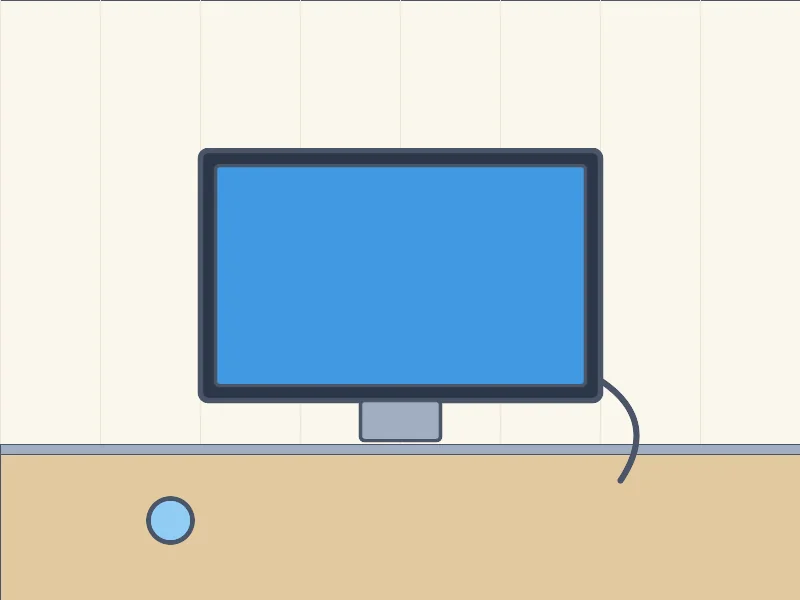
Dangling cables look messy and can be a trip hazard. You can tidy them with simple products and no wall cutting. Here is how to hide TV cables safely.
Before you start
Tidy cables come from a plan, not from a product. Work out where each cord starts and ends, which ones carry power and which carry a signal, and which ones you may need to unplug later. Then pick the cover or channel that suits that route.
1. Plan the route
1. Check where the TV, outlet and devices sit.
2. Choose the shortest, straightest path.
3. Avoid heat sources and doorways.
4. Mark the path with painter's tape.
2. Count the cables
1. List the power cord, HDMI and other cables.
2. Check the length of each cable.
3. Note any that are too long or too short.
4. Buy cable covers that fit the whole bundle.
3. Unplug and tidy
1. Unplug the TV and devices.
2. Untangle all cables.
3. Tie extra length into a neat loop with a hook and loop strap.
4. Keep power cords away from signal cables where possible.
4. Choose a method
1. Use a surface mounted raceway for a wall run.
2. Use a cord channel along baseboards or the floor.
3. Use a kit rated for in wall power if you want cables inside the wall.
4. Use cable ties and clips behind a stand.
5. Install the cover
1. Cut the cover to length.
2. Peel the adhesive or screw it to the wall.
3. Press it along the path and check it is level.
4. Leave the top open until the cables are in.
6. Lay in the cables
1. Place the cables in the channel.
2. Do not bend them sharply.
3. Keep the power cord and the plug accessible.
4. Snap the cover closed.
7. Paint or finish
1. Wipe the cover clean.
2. Paint it to match the wall if it is paintable.
3. Let it dry.
4. Check it does not touch heat.
8. Check everything works
1. Plug the TV and devices back in.
2. Test the picture and sound.
3. Check that nothing feels warm.
4. Make sure the outlet is not overloaded.
Quick tips
- Label each plug at both ends so you can find it later.
- Leave a little slack for moving the TV.
- Keep a power strip off the floor and in the open, not behind a cover.
- Use right angle plugs if the TV sits flat to the wall.
When to stop and call a pro
Do not run a standard extension cord or power cord inside a wall. It breaks electrical code and creates a fire risk. If you want a clean look with no visible cords, a licensed electrician can install an outlet behind the TV and run low voltage lines in the wall. Call a pro for any job near a fireplace, through a fire rated wall or ceiling, or in an older home with unknown wiring. If any cable or plug feels warm, unplug it and stop using it.
Related guides
- How to mount a TV on the wall
- Extension cord safety for homeowners
- Power strip overload: how to spot it
Common mistakes
- Running a power cord inside a wall.
- Covering a warm power strip.
- Pinching cables in a tight cover.
- Leaving no slack.
- Hiding plugs you cannot reach.
FAQ
Can I hide cables inside the wall myself?
Only with a product rated for it, and with care. A licensed electrician is the safest option.
Do cord covers get hot?
They should not. If one feels warm, unplug the cable.
Can I paint a cord cover?
Many are paintable. Check the label.
What about wireless HDMI?
It can reduce cables, but the TV still needs power.
More from this topic
- How to Hide Cords Safely: Learn how to hide cords safely with raceways, clips and covers, and which shortcuts behind walls and under...
- How to Mount a TV on the Wall Safely: Learn how to mount a TV on the wall: find the studs, choose the right bracket, mark and drill the holes,...
- How to Connect a Printer to WiFi at Home: Learn how to connect a printer to WiFi: check the network, use the printer menu or app, add it on your...
- Replace Outlet Cover Plate (and Switch Plates): Cracked, yellowed or missing plate? Replace outlet cover plate parts safely, match the style and deal with...
- How to Set Up a Smart Speaker at Home: Learn how to set up a smart speaker: choose a spot, plug it in, connect it to WiFi in the app, adjust privacy...
 Electrical BasicsHow to Hide Cords SafelyLearn how to hide cords safely with raceways, clips and covers, and which shortcuts behind walls and under rugs put your home at risk.
 Electrical BasicsHow to Mount a TV on the Wall SafelyLearn how to mount a TV on the wall: find the studs, choose the right bracket, mark and drill the holes, attach the mount and hang the TV level and secure.
 Electrical BasicsHow to Connect a Printer to WiFi at HomeLearn how to connect a printer to WiFi: check the network, use the printer menu or app, add it on your computer and phone and fix common connection problems.
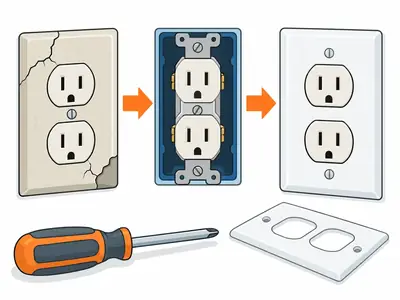 Electrical BasicsReplace Outlet Cover Plate (and Switch Plates)Cracked, yellowed or missing plate? Replace outlet cover plate parts safely, match the style and deal with gaps in the wall. Steps and safety tips included.
 Electrical BasicsHow to Set Up a Smart Speaker at HomeLearn how to set up a smart speaker: choose a spot, plug it in, connect it to WiFi in the app, adjust privacy settings and test voice commands safely.