
How to Program a Garage Door Opener Remote
Part of: Outdoors and garage
- Difficulty
- Easy
- Time
- 10 to 20 minutes
- Tools
- Step ladder, the remote, a fresh battery, the opener manual or model number, a cloth
- Call a pro if
- The opener has no learn button, the door moves on its own, or the motor strains or reverses for no clear reason, since those point to a fault in the opener or the door.
In this guide
- Ladder safety
A new remote, a dead battery or a power outage can all leave a garage door remote unpaired. The fix is usually a button press away. Most openers made in the last two decades use a learn button on the motor unit. How to program a garage door opener remote starts with the right remote, since it has to match the opener's brand family and radio frequency.
1. Get the right remote
- Remotes must match the opener's brand family and radio frequency.
- Check the model number on the motor unit, then buy a remote listed as compatible.
- Universal remotes work with many openers, but they still need to support your frequency and code type.
- Put a fresh battery in the remote before you start. A weak battery is the most common reason pairing fails.
2. Find the learn button
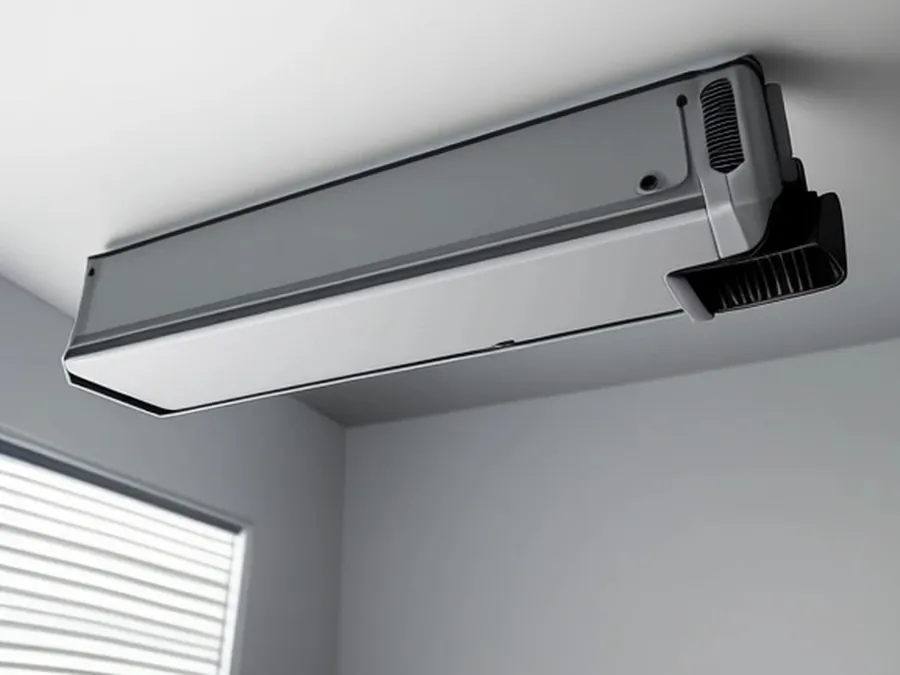
1. Look at the motor unit hanging from the garage ceiling.
2. The learn button is usually on the back or side, near the antenna wire or under a light cover.
3. It is often a small square or round button, sometimes colored yellow, purple, orange or green.
4. Wipe the area with a cloth so you can read the labels.
5. Note the color of the button. On many openers the color tells you which remotes are compatible.
3. Clear old codes if needed
1. If a remote was lost or stolen, clear the opener's memory first.
2. Press and hold the learn button for about six seconds until the indicator light goes out.
3. This erases every remote and keypad, so you will need to pair them all again.
4. If you are only adding a remote, skip this step.
4. Pair the remote
1. Press the learn button once and release it. An indicator light starts blinking or glows steadily.
2. You now have about 30 seconds. Press and hold the button on the remote you want to use.
3. Watch for the opener light to blink or hear a click. That confirms the pairing.
4. Release the remote button and wait a few seconds.
5. Press the remote button again. The door should move.
5. Program a wireless keypad
1. If you have an outdoor keypad, press the learn button on the motor unit once.
2. Within 30 seconds, enter your chosen code on the keypad.
3. Press and hold the enter button until the opener light blinks.
4. Test the code with the door fully closed.
5. Pick a code you can remember but others cannot guess, and avoid birthdays and addresses.
6. Program a car's built-in buttons
- Many cars have garage buttons built into the visor, mirror or overhead console.
- Pair the car to the opener the same way: press the learn button, then hold the car button.
- Some cars first need to learn the signal from the handheld remote. The car's manual gives the exact sequence.
- Clear the car's memory before you sell it, the same way you clear the opener.
7. Test everything
1. Test each remote and the keypad from a normal distance.
2. Check that an old remote you meant to erase no longer works.
3. Test the wall button as well.
4. Lay a board flat under the door and close it. The door should touch the board and reverse. Our guide on a garage door that will not close all the way shows this safety test in detail.
5. If the door does not reverse, stop using the opener and have it serviced.
8. If it will not pair
- Replace the remote battery and try again.
- Move closer to the motor unit. A weak signal often pairs at short range.
- Check that you are within the 30 second window after pressing learn.
- Make sure the remote matches the opener's frequency and code type.
- Unplug the opener for a minute, plug it back in and retry.
- If the wall button works but no remote will pair, the receiver board may have failed.
Common mistakes
- Holding the learn button too long and wiping every paired device by accident.
- Trying to pair with a dying battery in the remote.
- Buying a remote that matches the brand but not the frequency.
- Standing on the top step of the ladder to reach the motor unit.
- Forgetting to erase a lost remote from memory.
Related guides
- How to Install a Garage Door Keypad Outside the Door
- How to Test Garage Door Balance in a Few Minutes
- How to Lubricate a Garage Door the Right Way
- How to Clean Garage Door Panels Without Damaging the Finish
- How to Install a Garage Door Bottom Seal
- How to Clean a Garage Door Track
FAQ
How many remotes can a garage door opener store?
Most openers store several remotes and at least one keypad, often five or more devices. The manual gives the exact limit.
Do I need to clear all codes to add one remote?
No. Press learn once and pair the new remote. Clearing is only for lost or stolen remotes.
Why does my remote work up close but not from the driveway?
Usually a weak battery or a damaged antenna wire on the motor unit. Replace the battery and check the antenna hangs straight down.
Will a universal remote work with my opener?
Most will, if they support your opener's frequency and code type. Check the compatibility list on the packaging before buying.
More from this topic
- How to Install a Garage Door Keypad Outside the Door: Learn how to install a garage door keypad: pick the mounting spot, pair it with the opener, set a secure code...
- How to Open a Garage Door Manually When the Power Is Out: Learn how to open a garage door manually: pull the release cord, lift safely, and re-engage the opener when...
- How to Test Garage Door Auto-Reverse in Minutes: Learn how to test garage door auto-reverse: run the sensor test and the pressure test monthly so the door...
- Noisy Garage Door: What Each Sound Means and What to Do: A noisy garage door can mean dry rollers, loose hardware or a worn part. Learn what each sound points to and...
- How to Fix Garage Door Sensor Alignment: Learn how to fix garage door sensor alignment when the door will not close: clean the lenses, check the...
 Garage and OutdoorsHow to Install a Garage Door Keypad Outside the DoorLearn how to install a garage door keypad: pick the mounting spot, pair it with the opener, set a secure code and weatherproof the installation.
 Garage and OutdoorsHow to Open a Garage Door Manually When the Power Is OutLearn how to open a garage door manually: pull the release cord, lift safely, and re-engage the opener when the power comes back on.
 Garage and OutdoorsHow to Test Garage Door Auto-Reverse in MinutesLearn how to test garage door auto-reverse: run the sensor test and the pressure test monthly so the door reverses before it can hurt anyone.
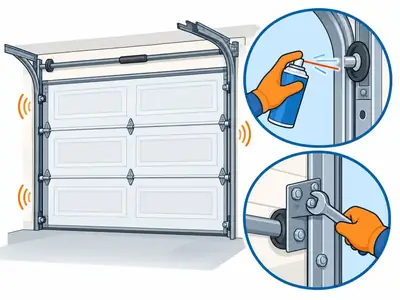 Garage and OutdoorsNoisy Garage Door: What Each Sound Means and What to DoA noisy garage door can mean dry rollers, loose hardware or a worn part. Learn what each sound points to and which fixes are safe to do yourself.
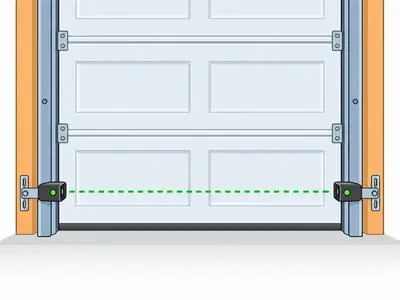 Garage and OutdoorsHow to Fix Garage Door Sensor AlignmentLearn how to fix garage door sensor alignment when the door will not close: clean the lenses, check the lights, adjust the brackets and test safely.