
Three-Way Switch Not Working: How to Find the Problem
Part of: Electrical safety
- Difficulty
- Medium
- Time
- 30 to 90 minutes
- Tools
- Non-contact voltage tester, screwdrivers, flashlight, new bulb, replacement three-way switch, wire stripper, pencil and tape
- Call a pro if
- you cannot trace the wires, the wires are old or damaged, you find scorch marks, or the light still does not work after you replace the switch
In this guide
- Power off first
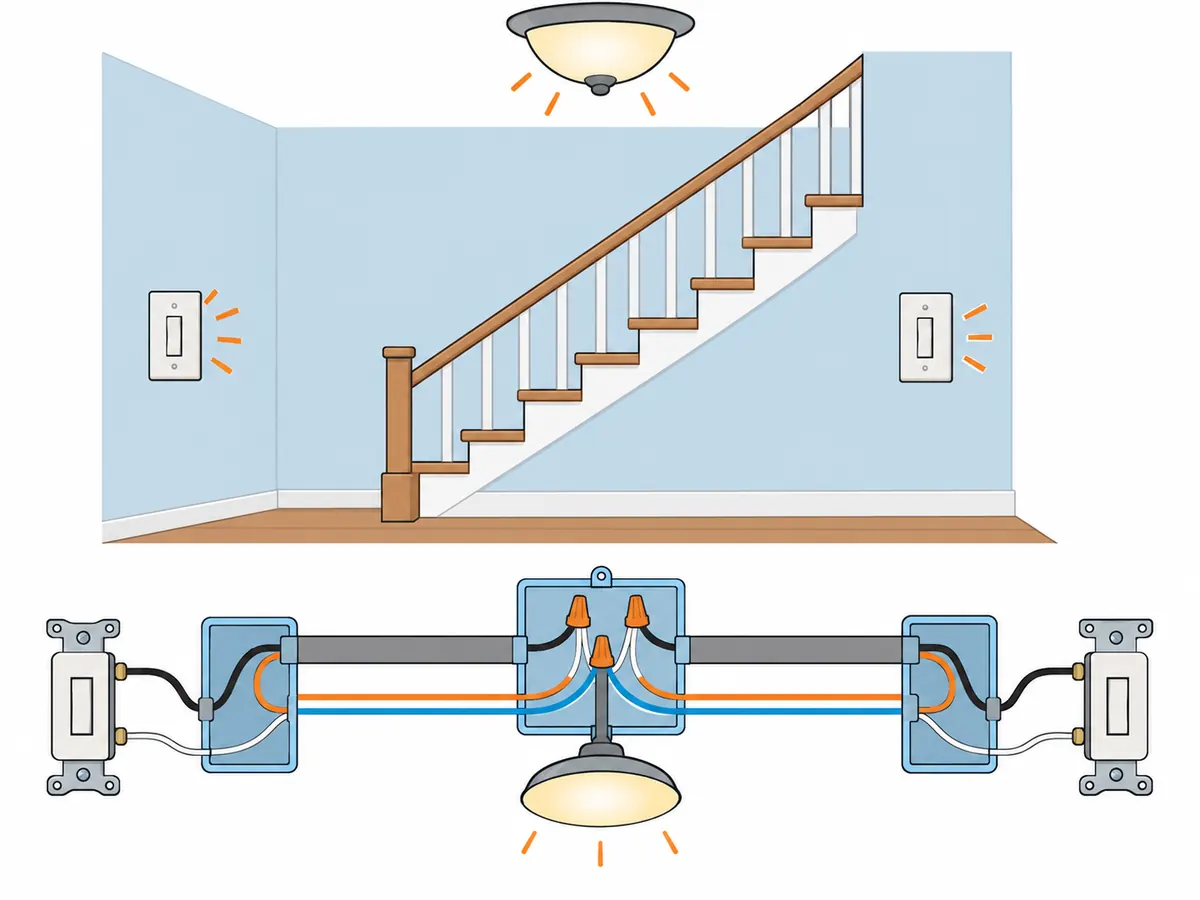
A three-way switch not working usually comes down to a bad switch or a mixed-up traveler wire. A three-way switch setup lets you control one light from two places, such as the top and bottom of a staircase. When a three-way switch is not working, the light may stay off, stay on, or only work when the other switch is in one position. The cause is usually a worn switch or a loose wire, and you can narrow it down with a few simple checks.
This guide is part of our wider guide to electrical problems and safety.
How a three-way circuit works
Two switches are wired together by two traveler wires. Power goes into one switch, travels through one of the two travelers to the second switch, and on to the light. Flipping either switch changes the path. A three-way switch has three screw terminals, plus a ground. One of them is darker or marked common. The other two are traveler terminals. If a wire is on the wrong terminal, the light will act strangely.
Easy checks first
1. Change the bulb. A burned out bulb is the most common cause. If the fixture has several bulbs, check them all.
2. Check the breaker. See How to reset a tripped breaker. If it tripped, switch it off and on once. If it trips again, stop and call an electrician.
3. Test both switches. Flip each switch through all positions. See if the light works in any combination.
4. Check for a loose switch. A switch that moves in the box, feels loose or clicks weakly may be worn out.
Step by step: look inside
1. Turn off the breaker for the circuit and tape it. Test the switch with a non-contact voltage tester.
2. Remove the plate and the switch screws. Pull the switch out carefully, without disconnecting wires yet.
3. Check the wires for loose screws, burnt insulation or a dark patch near a terminal. Take a photo.
4. Find the common wire. On a three-way switch, the common screw is usually darker, and it connects to the black wire from the power source or the light.
5. Label the wires. Use tape to mark which wire goes to the common screw. Do not mix them up.
6. Tighten loose screws and check that the wire is firmly under each screw head. If a wire end looks burnt, trim and strip fresh copper.
7. Swap the switch. If the wires look good, replace the switch with a new three-way switch. Attach the marked common wire to the common screw, the other two wires to the traveler screws, and ground to the green screw.
8. Fold the wires back, mount the switch and replace the plate.
9. Turn the power on and test the light from both switches.
10. If the light still does not work, repeat the checks at the second switch.
Symptoms and likely causes
- Light works from one switch only: the other switch has failed or a traveler wire is loose.
- Light is on in one position, off in another, but does not follow both: the common wire may be on the wrong terminal.
- Light flickers: a loose wire, a worn switch, or a bulb that is not compatible with a dimmer.
- Switch feels warm or smells hot: stop using it and call an electrician.
Choosing a replacement switch
Buy a switch labeled three-way. A single pole switch will not work. Check the amp rating, which is usually 15 amps for lights, and choose a quality switch. If you want a dimmer or a smart switch, buy one made for three-way circuits. See How to replace a light switch for the basics of changing a switch.
Why labeling matters
The most common mistake in a three-way repair is moving the common wire to a traveler screw. The circuit will still carry power, but the switches will not work as a pair. That is why you mark the common wire before you disconnect anything. If you forgot, look for the wire that is different from the other two. In many boxes, the two traveler wires are the same color, such as red and black, and the common wire is black on its own. A wiring diagram is printed on most new switches. Compare it with what you see before you tighten the screws.
When the second switch is the cause
If one switch works from the other end and not the reverse, check the switch at the far end. The same steps apply. If you cannot tell which switch has failed, swap one at a time. Do not replace both unless you have to, since that changes two things at once and makes problems hard to trace.
Prevention
Replace switches that feel loose or crackle. Use bulbs and dimmers that are made for each other. Do not overload a circuit with large lights and heaters.
Related guides
- Replace Outlet Cover Plate (and Switch Plates)
- How to Install a Smart Switch: Neutral Wire, Wiring and Setup
- How to Replace a Ceiling Fan Pull Chain Switch
- Outlet Not Working in One Room: How to Fix It
- How to Install a Dimmer Switch
FAQ
Can a bad switch cause the light to stay on?
Yes. A worn switch can leave the path closed.
How do I know which wire is the common?
Check the old switch. The common screw is usually darker, and many switches mark it.
Why does only one of my switches work?
The other may be worn, or a traveler wire may be loose.
Can I replace a three-way switch with a regular one?
Only if the light is controlled from one place. Otherwise, use a three-way.
More from this topic
- Ceiling Fan Light Not Working: Ceiling fan light not working while the fan runs? Check the bulbs, the pull chain, the remote and the wiring....
- How to Fix a Gurgling Drain: Find the Air Problem: How to fix a gurgling drain: trace the gurgle to a clog or a vent problem and clear the one you...
- How to Install a Smart Switch: Learn how to install a smart switch. Check for a neutral wire, turn off the power, wire the switch and...
- How to Reset a WiFi Router the Right Way: Learn how to reset a WiFi router: restart it first, then do a factory reset only if needed, and set up your...
- Light Switch Hot or Buzzing: What It Means: Light switch hot or buzzing? Learn common causes like dimmer load or loose wires, which steps are safe, and...
 Electrical BasicsCeiling Fan Light Not WorkingCeiling fan light not working while the fan runs? Check the bulbs, the pull chain, the remote and the wiring. Easy steps and when to call an electrician.
 DrainsHow to Fix a Gurgling Drain: Find the Air ProblemHow to fix a gurgling drain: trace the gurgle to a clog or a vent problem and clear the one you have.
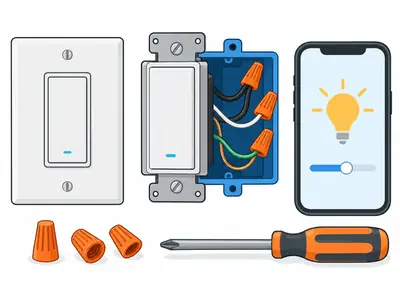 Electrical BasicsHow to Install a Smart SwitchLearn how to install a smart switch. Check for a neutral wire, turn off the power, wire the switch and connect it to your app. Step by step with safety tips.
 Electrical BasicsHow to Reset a WiFi Router the Right WayLearn how to reset a WiFi router: restart it first, then do a factory reset only if needed, and set up your network name and password again safely.
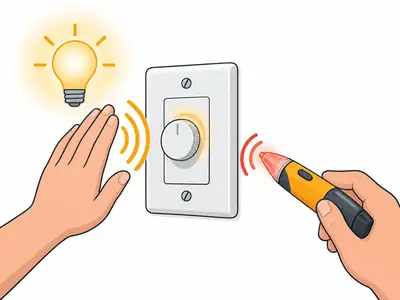 Electrical BasicsLight Switch Hot or Buzzing: What It MeansLight switch hot or buzzing? Learn common causes like dimmer load or loose wires, which steps are safe, and when to call an electrician.